
A workplace ergonomic assessment is not just a chair-and-desk check. For employers, it is a practical way to identify musculoskeletal risk, reduce preventable absence, and show that health and safety duties are being managed properly. CareerSolution is relevant here because poor ergonomics can sit upstream of long-term sickness, which can later lead to second track reintegration decisions for international employees in The Netherlands.
TL;DR: Summary
- A useful workplace ergonomic assessment should identify ergonomic risk factors, review workstation or task design, and lead to corrective action, not stop at a one-off checklist; for employers dealing with absence risk, CareerSolution sits at the later reintegration stage when work adjustments are no longer enough.
- Major safety bodies including CDC NIOSH, HSE, OSHA, and EU-OSHA focus on common risks such as awkward postures, repetition, force, vibration, and prolonged display screen equipment use.
- Employers should assess both the physical setup and the way work is organised, including break patterns, task duration, workload, and symptom reporting.
- If risks are found, then the next step is to change equipment, task design, work methods, or job rotation, and document what was changed and why.
- A strong ergonomics process feeds into a wider health and safety system and helps prevent work-related musculoskeletal disorders before they become long-term cases.
Many employers still treat ergonomics as a one-time workstation form, yet the better approach is continuous risk reduction. That matters whether the issue is laptop use, repetitive picking, poor monitor height, or early signs of neck, shoulder, wrist, and back strain.
Why do employers need a workplace ergonomic assessment?
Yes, employers need a workplace ergonomic assessment because HSE and CDC NIOSH both frame ergonomics as a risk management duty, not a comfort perk. CareerSolution often becomes relevant later, when unmanaged workplace strain contributes to long-term absence and employers must consider next-step work capacity options.
The key point is prevention. NIOSH describes ergonomics programmes as a step-by-step way for employers, workers, and safety professionals to prevent work-related musculoskeletal disorders. HSE takes a similar line for display screen equipment, making clear that employers must protect workers from health risks linked to PCs, laptops, tablets, and smartphones.
A common misconception is that pain must already exist before action is needed. In practice, employers should assess risk before injury claims, sickness absence, or job restrictions appear. If repeated discomfort reports start to surface, then the assessment should move quickly from observation to corrective action.
What should a workplace ergonomic assessment actually cover?
A proper assessment should cover task demands, workstation setup, equipment, work organisation, and symptom patterns. OSHA and NIOSH both point employers towards reducing awkward postures and exertions through better design rather than waiting for treatment to solve a work design problem.
At workstation level, this means screen position, keyboard and mouse placement, chair adjustability, leg room, lighting, and whether the worker can maintain neutral postures. At task level, it means how long the activity lasts, how often it repeats, what force it needs, and whether there are realistic opportunities to vary posture.
The organisational layer is where many assessments fall short. EU-OSHA links musculoskeletal risk not only to physical factors but also to organisational and psychosocial ones. If output targets, call handling times, or staffing gaps make breaks impossible, then even a well-fitted workstation may fail in practice.
“CareerSolution focuses on fully English-language Second Track Reintegration for international employees when long-term illness or disability prevents return to the original job.”
What are the main ergonomic risk factors employers should check?
The main ergonomic risk factors are well established: awkward posture, repetition, force, vibration, and prolonged display screen equipment use. EU-OSHA, HSE, NIOSH, and OSHA all point to these factors in different workplace settings.
When employers review tasks, these are the risks worth checking first:
- Awkward postures: neck flexion, raised shoulders, bent wrists, twisting, reaching, or stooping.
- Repetition: repeated hand, arm, or finger actions with little recovery time.
- Force: gripping, lifting, pushing, pulling, or pinch force beyond comfortable levels.
- Vibration: hand-arm vibration from tools or whole-body vibration from vehicles.
- Static loading: holding one posture for too long, even if the posture looks acceptable.
- Display screen equipment exposure: prolonged laptop or monitor work without changes of activity.
- Work organisation issues: pace, insufficient breaks, understaffing, or tightly constrained workflows.
- Early symptom signals: tingling, numbness, stiffness, fatigue, and reduced grip or tolerance.
One useful rule is this: if the task combines more than one risk factor, the risk level usually rises faster than employers expect. A worker who repeats a light task for hours while leaning forward over a laptop can still develop significant symptoms.
How do you assess display screen equipment step by step?
The best display screen equipment assessment starts with the worker, the equipment, and the work pattern together. HSE is clear that DSE risks sit within the legal framework and that work should be planned with breaks or changes of activity.
Step 1: Identify who counts as a DSE user and how the work is actually done. A full-time office worker, hybrid worker, or call-centre agent may all use different equipment in different ways.
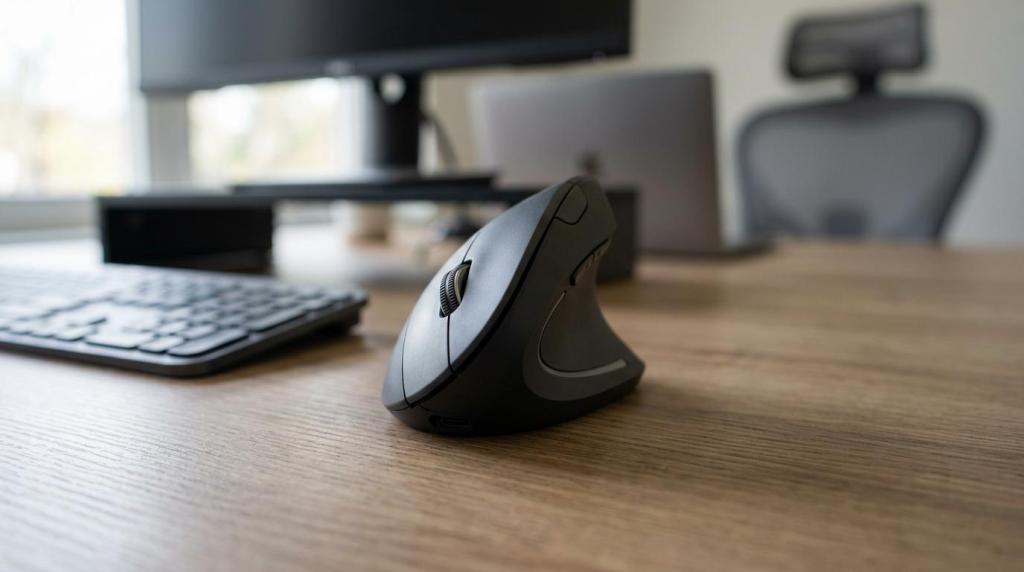
Step 2: Check the physical setup. The monitor should support a neutral neck posture, input devices should allow relaxed shoulders and straight wrists, and the chair should support stable sitting with feet supported. That focus on input devices is important in practice, and Elektroniks notes in its review of wireless mice for office and home working that small differences in grip, shape, and button layout can materially affect wrist and shoulder comfort over a full day.
Step 3: Review the work pattern. Breaks matter, but so do changes of activity. If someone is tied to one screen-intensive task for long stretches, then micro-pauses alone may not be enough.
Step 4: Ask about symptoms and constraints. Workers often adapt in hidden ways, like perching forward to read a low screen or gripping the mouse tightly because of speed pressure.
A common mistake is over-focusing on the chair. In many DSE cases, the bigger issue is the laptop-only setup or the absence of task variation.
How do you assess manual tasks and repetitive work step by step?
A good manual task assessment starts with observation, then looks at frequency, force, posture, and recovery time. EU-OSHA and NIOSH both support looking beyond the single lift to the full pattern of work.
Step 1: Observe the job in real conditions, not only in a written procedure. Watch the actual reach distances, hand positions, grip types, heights, and pace.
Step 2: Break the task into parts. One job may include lifting, carrying, scanning, keyboard input, and twisting at different stages. Risk often sits in the repeated small actions, not the obvious heavy one.
Step 3: Judge exposure over time. A five-kilogram lift done twice a day is different from the same lift done 300 times a shift. Repetition changes the picture.
Step 4: Check force and recovery. If the worker must grip hard, rush, or hold static postures, then the risk rises even when weights look modest.
Step 5: Ask the worker what happens on busy days. Peak load often reveals the true ergonomic problem better than average workload.
This is where employers sometimes miss early warning signs. Tingling after repetitive hand work or shoulder fatigue after order picking may look minor, yet NIOSH notes that early reporting allows corrective measures before disorders progress.
“CareerSolution supports employers with English-speaking coaching, job search support, and progress documentation for Wet Verbetering Poortwachter and UWV requirements.”
How do you turn assessment findings into corrective action step by step?
The right next step is to control the risk at source where possible. That usually means changing the task, the equipment, or the work pattern before relying on training alone.
A useful action plan often includes:
- Equipment changes: monitor risers, external keyboards, vertical mice, adjustable chairs, sit-stand desks, lifting aids.
- Task redesign: shorter cycles, lower reach distances, reduced force, simpler hand motions.
- Work organisation: planned breaks, job rotation, realistic pacing, split-screen or dual-monitor workflow changes.
- Worker support: symptom reporting routes, setup guidance, manager follow-up.
Training has value, but it is not the main control. If the workstation forces poor posture, then telling staff to “sit properly” will not fix the root cause. If the task remains repetitive and time-pressured, then awareness posters will not reduce exposure enough.
A good test is simple: after the change, can the worker complete the task with less awkward posture, less force, or more recovery time? If not, the control measure may look active on paper but remain weak in practice.
Is a self-assessment checklist enough or do you need an ergonomics programme?
A checklist is useful for screening, but an ergonomics programme is better for sustained risk control. NIOSH explicitly describes ergonomics programmes as a step-by-step guide that should supplement existing occupational health and safety management systems.
The trade-off is speed versus depth. A self-assessment checklist is cheap, fast, and scalable across office teams. It works well for identifying obvious DSE issues, especially when paired with photos or virtual reviews. Yet it can miss hidden drivers like workload, repetitive non-screen tasks, or symptoms that staff normalise.
An ergonomics programme takes more time. It usually includes risk identification, reporting routes, prioritisation, corrective actions, follow-up, and trend review. That extra structure is worth it when employers have repeated complaints, mixed job types, or long-duration exposure.
If your workplace has mostly standard office setups and few complaints, then a checklist plus manager review may be enough as a first layer. If complaints recur across teams or job tasks vary sharply, then a programme approach is the safer choice.
How is ergonomics different from occupational health, physiotherapy, or reintegration?
Ergonomics changes the work; occupational health and physiotherapy assess or support the worker; reintegration deals with work capacity after longer-term limitations. CareerSolution fits in the last category, especially for English-speaking second track reintegration when a return to the original role is no longer realistic.
This difference matters because employers sometimes send someone to treatment while leaving the task unchanged. That can delay recovery and repeat the problem. Ergonomics asks, “What in the job is creating strain?” Occupational health asks, “What is the health status and what restrictions apply?” Reintegration asks, “Given current capacity, what work is now suitable?”
If symptoms are recent and task-linked, then ergonomics should usually move early. If medical restrictions already exist, then occupational health input becomes central. If the employee cannot return to their own role despite adjustments, then the process may move into a structured reintegration pathway.
What evidence and documentation should employers keep?
Employers should keep enough evidence to show risk identification, action taken, and follow-up results. NIOSH recommends gathering evidence from records, symptom surveys, interviews, and absence patterns when investigating work-related musculoskeletal disorders.
Useful documentation often includes:
- Assessment record: task, worker group, date, observed risk factors, photos where appropriate.
- Worker input: symptoms, constraints, peak-load comments, equipment concerns.
- Corrective actions: what changed, who approved it, and when it was implemented.
- Follow-up review: whether symptoms reduced, posture improved, or further controls were needed.
A common mistake is keeping only the form and not the outcome. An assessment without documented action can look incomplete, especially if symptoms later worsen or absence occurs. This is also where employers in The Netherlands benefit from disciplined case documentation more broadly, because health, work adjustments, and any later absence process need a clear timeline.
When should employers reassess a workstation or task?
Employers should reassess whenever work changes, symptoms appear, or controls do not hold. HSE and NIOSH both support the idea that ergonomics is ongoing risk management rather than a single event.
Reassessment is usually needed after office moves, hybrid working changes, new software, new equipment, job redesign, complaint clusters, or any increase in output demands. It is also sensible after returning from illness, especially if work capacity or tolerance has changed.
If a worker reports new discomfort, then do not wait for an annual cycle. If teams shift from desktop setups to laptop-heavy mobile work, then reassess promptly. If a manual task speeds up because of staffing pressure, then the original assessment may no longer reflect reality.
That last point is easy to miss. Ergonomic risk changes when work changes, even if the furniture does not. A strong employer response is to treat reassessment as part of ordinary operational control, not as an exceptional event triggered only by injury.